How to Choose a Coding Class for Your Child in Penang: A Parent's Checklist
Search "coding class Penang" and you will find plenty of options: weekend classes, holiday camps, online courses, robotics clubs and app-based programmes. They all promise to teach your child coding. But they are not all the same, and the wrong fit can turn an excited child into a bored one within a month.
This guide gives you a simple checklist to compare any coding class in Penang, so you can choose with confidence instead of guessing.
First, know what you want for your child
Before comparing classes, it helps to be clear about your goal. Most parents fall into one of these:
- "I want my child to try it and see if they like it." Look for a class with a low-pressure trial session.
- "I want screen time to become something productive." Look for a class where children build real things, not just watch tutorials.
- "I want my child ready for the future, including AI." Look for a clear pathway that goes beyond beginner games into real programming and AI.
- "I want something that helps with school." Look for a class that builds logical thinking and maths skills along the way.
There is no wrong answer. But knowing your goal makes the checklist below much easier to use.
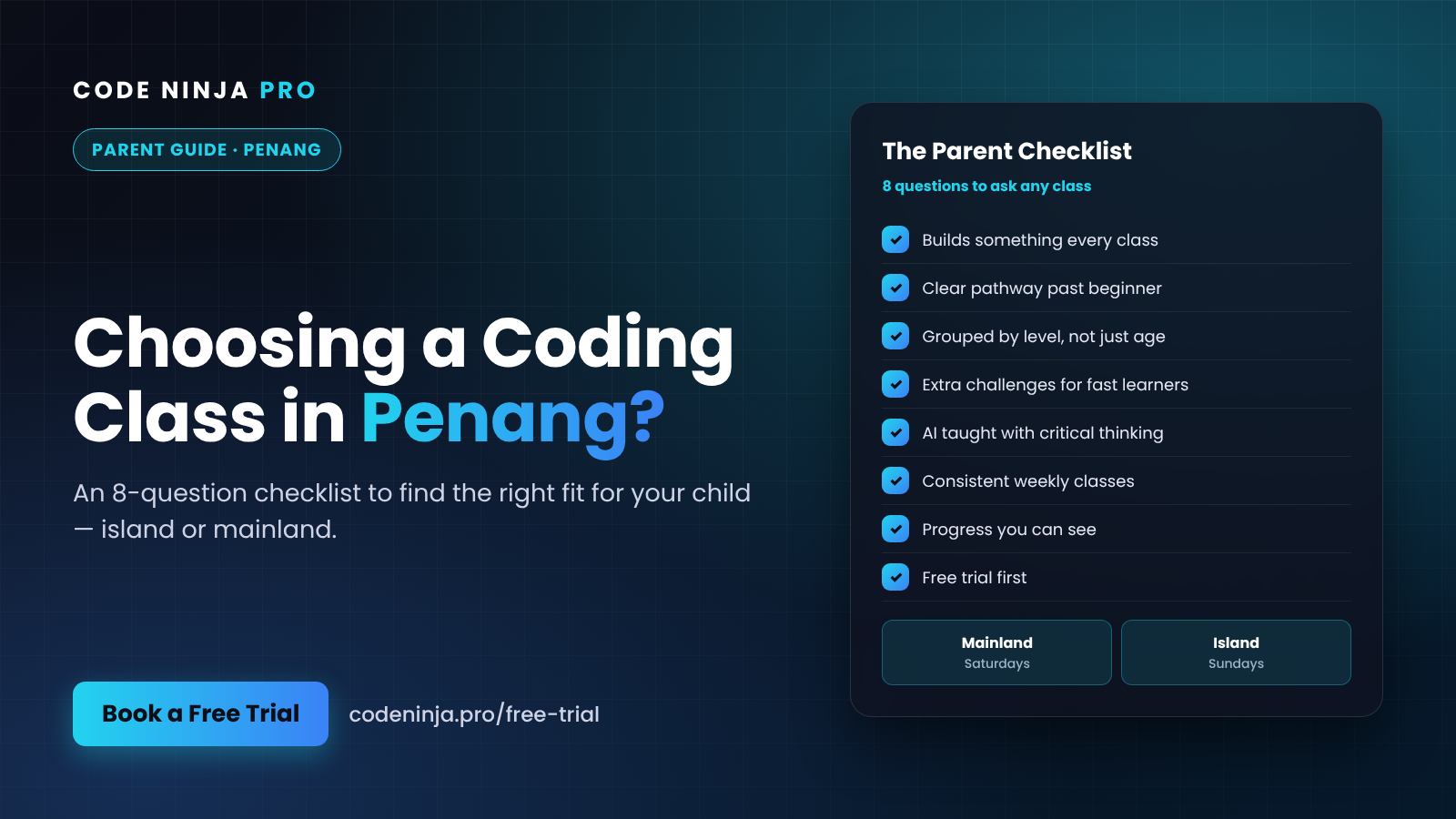
The 8-question checklist
Ask these questions to any coding class you are considering, including ours.
1. Does my child build something real in every class? Children stay motivated when they leave each session with something they made: a game, an animation, a quiz app or a working tool. Classes that are mostly watching or copying tend to lose children quickly.
2. Is there a clear pathway, or just one course? Many programmes stop after the beginner level. Ask what comes after the first course. A good pathway takes children from visual coding to real text-based programming, then on to building apps and using AI.
3. Are classes grouped by level, not just age? Two 10-year-olds can be at very different levels. Ask how the class places your child and what happens if they move faster or slower than others.
4. What happens when a fast learner finishes early? This is a revealing question. Strong classes have extra challenges ready, so quick learners go deeper while others catch up. Weak ones leave fast kids waiting and bored.
5. How is AI taught? AI is everywhere now. Ask whether children learn to build with AI and also learn to check its answers, or whether AI simply does the work for them. You want the first one.
6. How often are classes, and is it consistent? Coding is a skill built through regular practice. A steady weekly class usually beats an occasional intensive session for long-term progress.
7. Can I see my child's progress? Ask how you will know your child is improving. Seeing their projects, or having them demo what they built, is one of the best signs.
8. Can my child try a class first? A trial class tells you more than any brochure. Watch how your child reacts. Do they come out talking about what they built?
Print this list, save it on your phone, or use it during calls. If a class gives clear answers to all eight, it is worth a serious look.
Island or mainland: which location works for you?
In Penang, location matters. Traffic on the bridges and around George Town can turn a short drive into a long one, especially on weekends.
The best class is one your family can attend consistently. A great programme that is too far away often ends with missed sessions and lost momentum.
At Code Ninja Pro, we run classes in both parts of Penang:
- Mainland — Saturday classes
- Island — Sunday classes
So you can pick the side of the bridge and the day that fits your family's routine.
What learning looks like at Code Ninja Pro
We designed our classes around the checklist above, because these are the things we believe matter most.
A clear pathway. Students progress from Scratch (visual coding) to Python (real programming), then to web and app development, and on to AI and robotics. Your child always knows what they are working toward.
Building, not watching. Every class is hands-on. Students build projects they can show you, from early games to AI-powered tools in our more advanced courses.
Room for every pace. Our lessons include extra challenge levels, so quick learners can go deeper while others take the time they need.
AI with critical thinking. Students learn to use AI inside the tools they build and to test whether its output is actually correct. AI is a tool to learn and create with. It does not replace a child's own thinking or a good teacher.
Coding that supports school. Logical thinking, patterns and step-by-step problem solving show up in every lesson, which naturally strengthens maths skills too.
Common mistakes parents make when choosing
A few things to watch out for:
- Choosing on price alone. The cheapest option is not good value if your child loses interest after a few weeks. Compare what your child actually learns and builds.
- Ignoring the travel time. A class that is 45 minutes away each way is hard to sustain every week.
- Signing up without a trial. Every child is different. A trial shows you whether the class style suits yours.
- Expecting instant results. Coding is like learning an instrument. Steady weekly progress adds up faster than you expect.
After the trial: three questions to ask your child
The trial class is only half the decision. The other half happens in the car on the way home. Instead of asking "Did you like it?", which usually gets a one-word answer, try these:
- "What did you build today?" If your child can describe a project with excitement, the class is doing its job.
- "What was the hardest part, and how did you fix it?" This tells you whether the class challenged them and taught them to work through problems instead of giving up.
- "What do you want to make next time?" A child who already has ideas for the next class is a child who will stay motivated.
Pay attention to how they talk, not just what they say. Energy and specific details are good signs. A shrug might mean the level was not right, which is worth raising with the instructor before you decide.
Ready to compare? Start with a free trial
The simplest way to use this checklist is to see a class in action.
Our free trial class lets your child take part in a real, hands-on session. Bring the checklist and ask us anything. You will see how your child responds and whether we are the right fit, with no pressure to sign up.
👉 Book a free trial class at codeninja.pro/free-trial
Frequently Asked Questions
1. Where are Code Ninja Pro's classes in Penang? We run classes on the Penang mainland on Saturdays and on Penang island on Sundays. When you book a trial, we will share the exact location for the class you choose.
2. What age is right for a coding class? Children around 7 years old can begin with visual coding in Scratch. Older children and teens can start at a level that matches their age and experience.
3. My child has no coding experience. Can they still join? Yes. Most students start as complete beginners. The trial class helps us place your child at the right level.
4. Do you teach AI, or only coding? Both. Students start with coding fundamentals, and AI is built into our pathway as they progress, including how to use AI responsibly and check its answers.
5. How do I book a trial class? Go to codeninja.pro/free-trial, choose a location and pick a slot. It takes a couple of minutes.
Ready To Experience Coding First-Hand?
Join our FREE Trial Classes and discover the exciting world of coding, AI and robotics.